
painter怎么进行模糊处理
how to use blur effect in painter
introduction
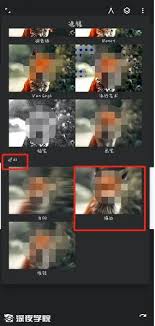
in the world of digital painting, achieving a realistic and visually appealing artwork often involves using various techniques, and one of the fundamental ones is blurring. painter offers a range of tools and features to help artists create effective blurring effects.
using the blur tool
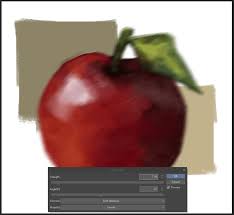
the blur tool in painter is a straightforward way to start adding blurriness. select the blur tool from the toolbar. you can adjust its brush size, hardness, and other settings according to your needs. simply click and drag over the area you want to blur. this is great for softening edges, creating a sense of depth, or adding a dreamy quality to your painting. for example, when painting a portrait, you can use the blur tool on the edges of the face to make it blend more smoothly with the background.
gaussian blur
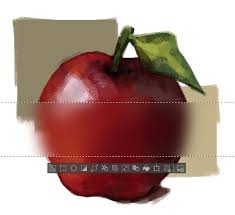
gaussian blur is another powerful option. it can be found in the effects menu. this type of blur creates a more natural and smooth transition compared to some other blurring methods. you can apply gaussian blur to an entire layer or a selected area. it⁄'s useful for creating a sense of distance, such as making distant objects in a landscape appear more hazy. by adjusting the radius value, you can control the intensity of the blur. a larger radius will result in a more significant blur effect.
motion blur
motion blur is great for adding a sense of movement to your paintings. it gives the impression that the subject is in motion. in painter, you can access the motion blur effect through the effects menu. you need to define the direction and length of the blur. for instance, if you⁄'re painting a race car, applying motion blur in the direction of its movement can make it look like it⁄'s speeding along. this effect can add a dynamic element to your static artwork.
conclusion
blurring in painter is an essential skill for digital artists. whether you⁄'re working on a detailed illustration, a landscape, or a portrait, the ability to use tools like the blur tool, gaussian blur, and motion blur effectively can greatly enhance the quality of your work. experiment with different blurring techniques to achieve the desired visual effects and bring your digital paintings to life.
相关文章
-
2025-08-13
-
2025-08-04
-
2024-03-06
最新下载
-
 松饼骑士电脑版 v1.0.0最新版下载
 -
 水果保卫战电脑版 v1.0下载
 -
 绝地悍将 pc版下载
 -
 人球快跑下载
 -
 无双大蛇z免安装版下载
 -
 恐怖惊魂躲猫猫下载
 -
 宝宝课堂下载
 -
 笨笨软件库无广告版下载
 -
 花掉马斯克的钱最新版下载
 -
 中华娘语音盒app免费版下载
 -
 国王万岁:死亡蝙蝠 pc版下载
 -
 侦探沃克:神秘冒险电脑版 v1.0下载
 -
 云帮手pc管理端下载
 -
 太空清理者 pc版下载
 -
 数码照片伴侣digitalphotomate下载
 -
 光芒之池2剑与魔法的传说下载
 -
 lo查查下载
 -
 汉末神将下载
 -
 好名声五行生辰八字起名软件下载
 -
 pngyu下载
 -
花掉马斯克的钱最新版下载
-
 言赴山海翻译下载
 -
 瑟伦歌蒂的宝藏电脑版 v1.0完整版下载
 -
 威尼.斯 pc版下载